
BEFORE YOU START
- If you purchased the credential for yourself, you don't need to transfer the credential.
- If you purchased a credential for someone else, you must transfer it to the intended recipient (credential holder) to complete the registration process. Proceed to the instructions below.
INSTRUCTIONS
Log into your Leap (formerly ShowClix) MyTickets account to transfer (assign) each credential you purchased for another person. Here are the steps:
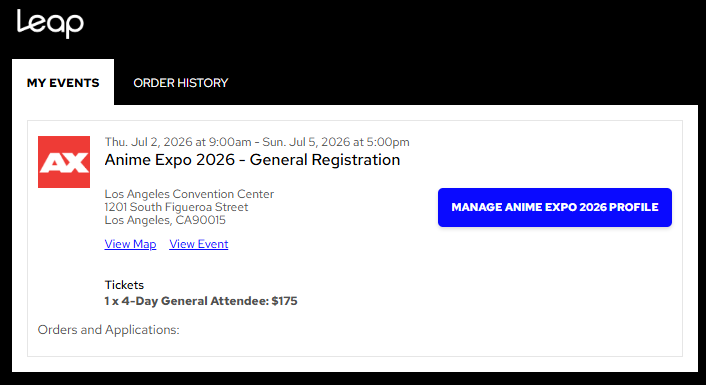
- Click on the "Manage Anime Expo 2026 Profile" button.
Note: If you are transferring general attendee credentials, the event name will be Anime Expo 2026 – General Registration
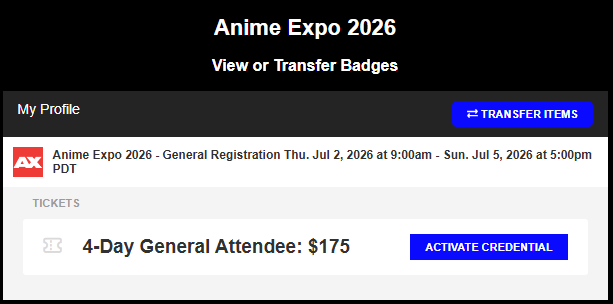
- You will see all the credentials you have purchased listed. To transfer a credential, click on the "Transfer Items" button.
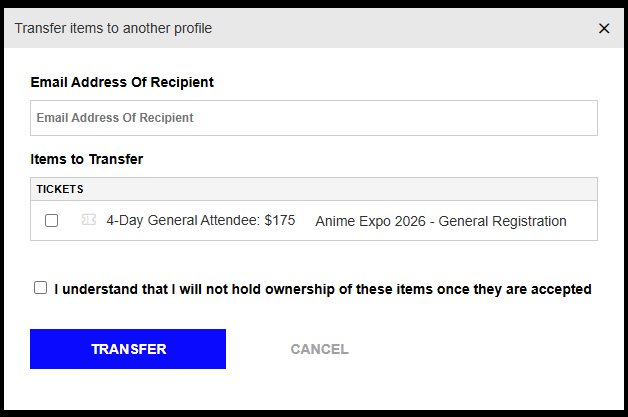
- You will need to enter the email address of the person you wish to transfer the credential to, then check the box next to the credential you will be transferring. To complete the transfer, click on the "Transfer" button.
Note: Child credentials CANNOT be transferred due to our privacy policies and stay assigned to the Buyer. If you need to transfer a Child credential to another adult who will be attending Anime Expo with that child, then you will need to send an email to registration@anime-expo.org to process this request.
- An email notification will be sent automatically to each person you transferred a credential to once you hit TRANSFER. For each transfer you processed, you will see it displayed under "My Transfers". You may click EDIT to modify before the credential is accepted by the recipient.
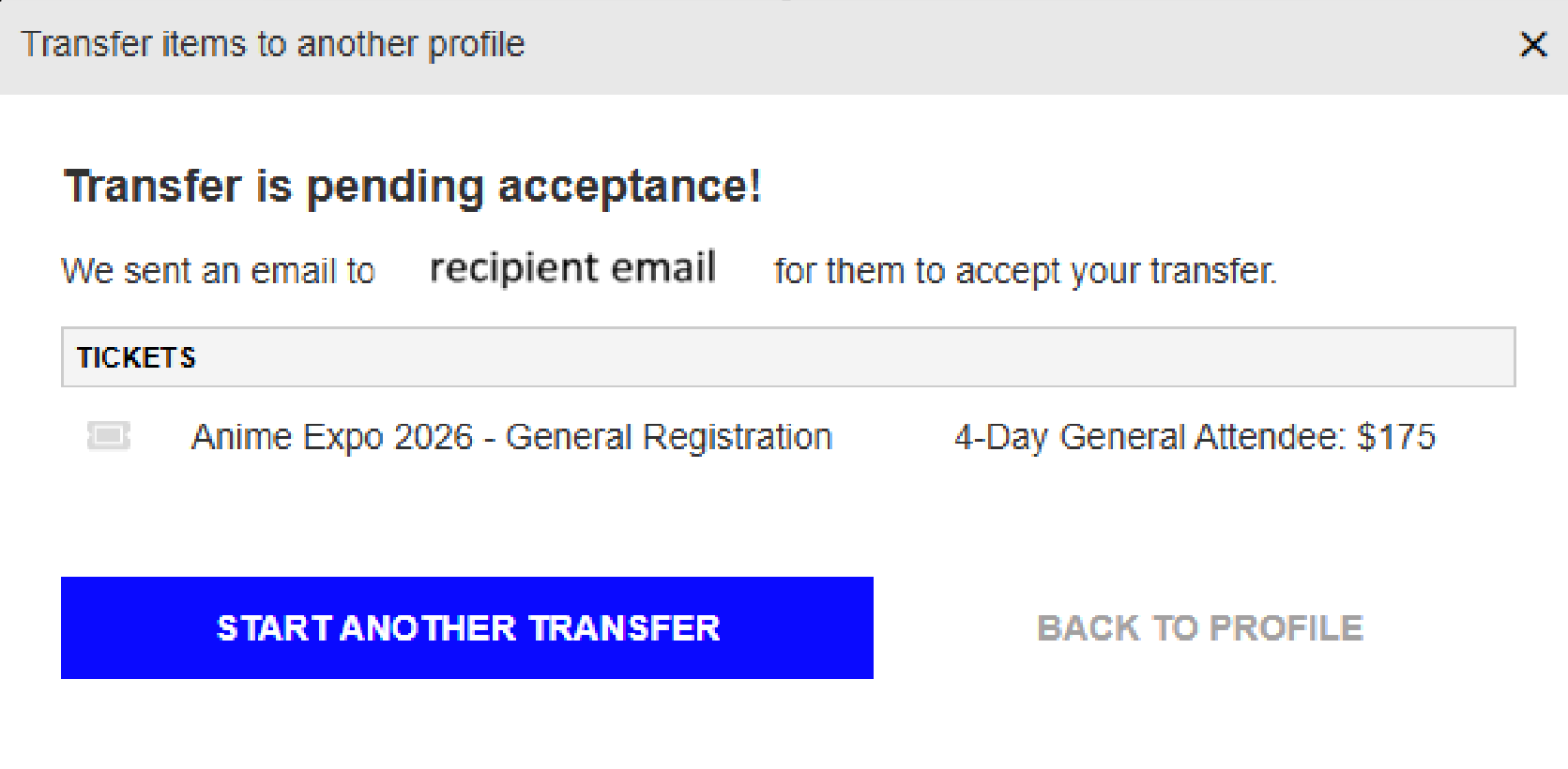
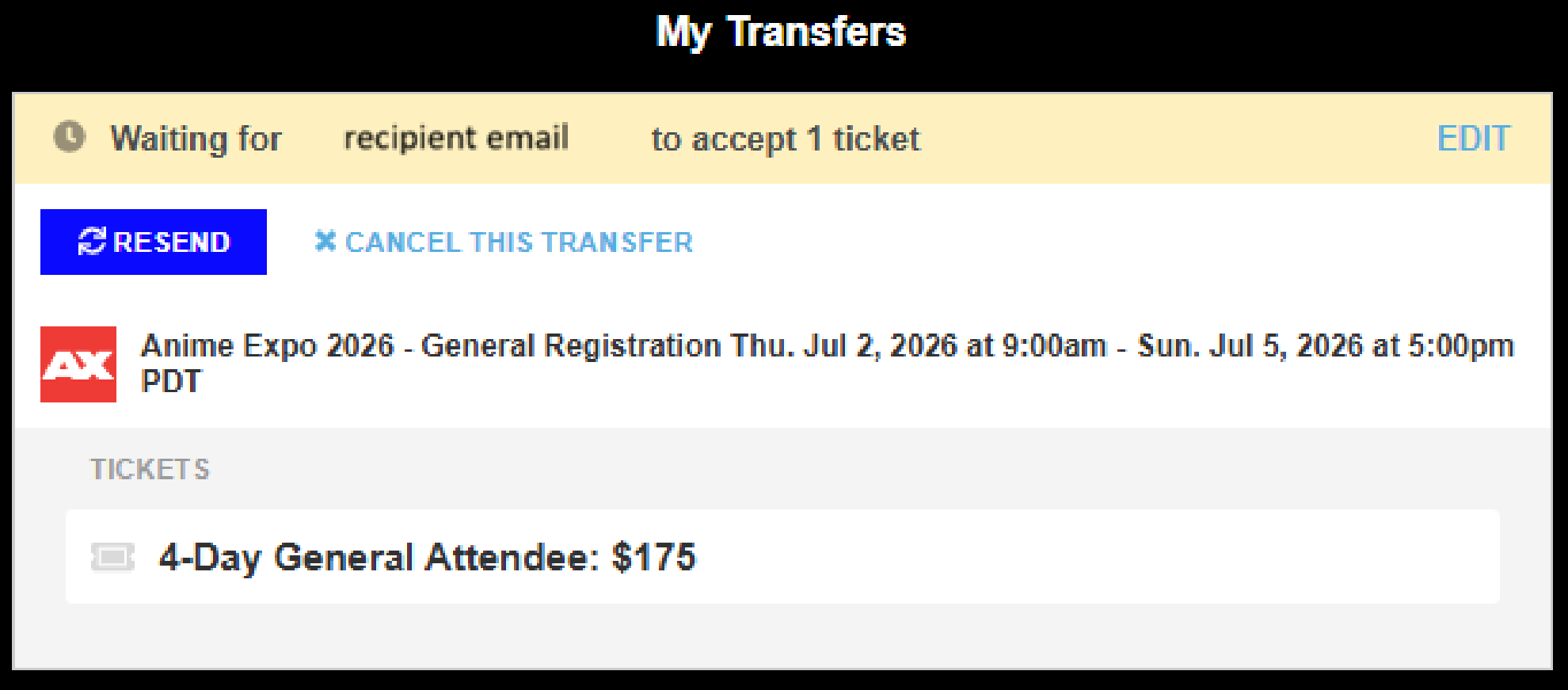
- IMPORTANT! Make sure the recipient ACCEPT the credential, otherwise the transfer is not completed!
Once the person accepts the transferred credential, this message will change to show: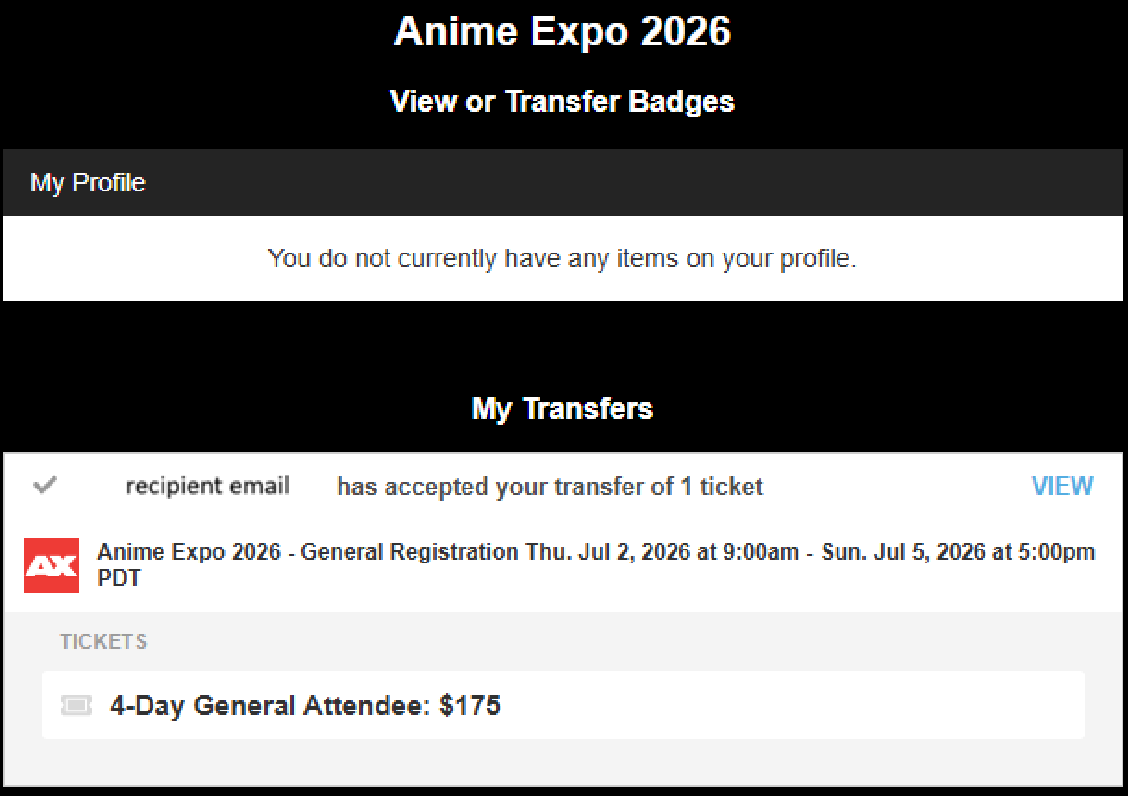 and you will no longer see those tickets in your account.
NOTE: Please be aware that, even if you transfer credentials to someone else, you are listed as the BUYER and all badges will still be shipped to the delivery address you noted during checkout for each order placed. If you selected "same as billing address," then they will be mailed to you and you are responsible for distributing them.
To complete the process, the recipient must ACCEPT the transfer. For instructions read: How do I accept a transfer?.
Have further questions? Fill out our contact form.